

A reliable Wi-Fi connection is critical for a smooth gaming experience. Lag, buffering, and disconnects can ruin even the most immersive games. By testing your connection and making a few key improvements, you can enhance your gaming sessions significantly.
This guide will cover essential steps to evaluate your Wi-Fi performance and practical tips to optimize it for gaming.
Understanding the Basics of Gaming and Wi-Fi
Wi-Fi connects devices wirelessly, but factors like distance, interference, and outdated hardware can impact speed and stability. Gamers often face issues like high latency, jitter, and packet loss. These problems can result in delayed responses or dropped connections during critical game moments.
To evaluate your Wi-Fi for gaming, focus on these metrics:
- Download and Upload Speeds: Determine how quickly data transfers between your device and the server.
- Ping (Latency): Measures the delay in data transmission, crucial for real-time gaming.
- Packet Loss: Indicates data that fails to reach its destination, causing interruptions.
You can use tools like Speedtest.net or the in-game network diagnostics of popular titles to measure these metrics. For a deeper understanding of internet standards, refer to Wikipedia.
Testing and Troubleshooting Wi-Fi for Gaming
How to Test Your Wi-Fi
- Perform a Speed Test: Measure your connection’s download, upload speeds, and ping.
- Check Signal Strength: Weak signals often result in lag. Use apps like NetSpot to analyze signal quality.
- Identify Packet Loss: Tools like PathPing help determine whether data is being lost during transmission.
Common Wi-Fi Issues for Gamers
- Interference: Physical barriers and other electronic devices can disrupt signals.
- Outdated Equipment: Older routers may not support modern gaming needs.
- Bandwidth Strain: Streaming, downloads, and other users on the network can reduce available bandwidth.
Improving Your Wi-Fi Connection for Gaming
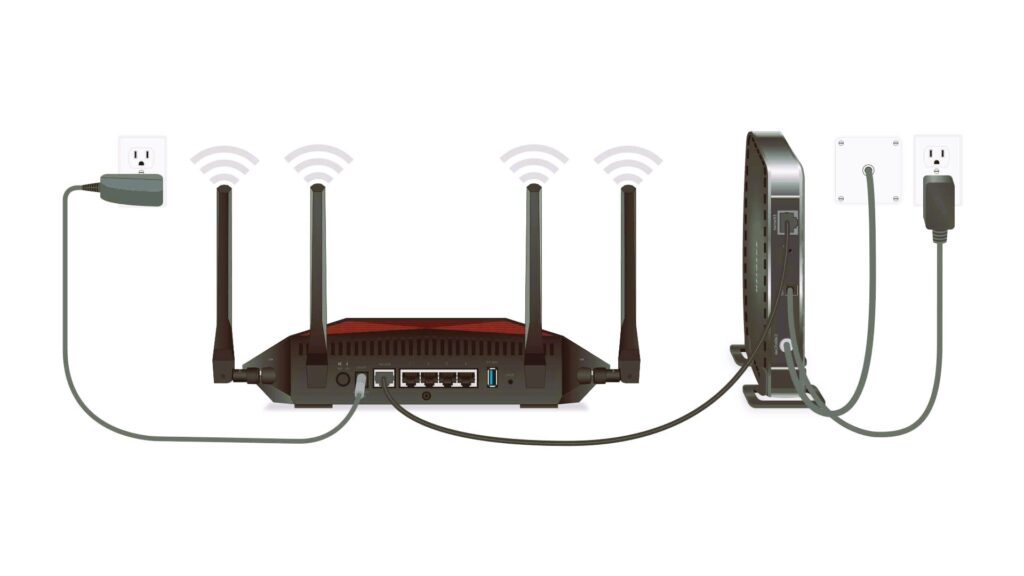
Router Placement and Configuration
- Place the router in a central, unobstructed location.
- Switch to the 5 GHz band for faster, less-congested speeds. Read about the connection between internet speed and game loading time.
Network Management Tips
- Enable Quality of Service (QoS) on your router to prioritize gaming traffic.
- Disconnect unused devices from the network during gaming sessions.
- Limit background downloads and streaming.
Hardware Upgrades
- Invest in a modern router with support for Wi-Fi 6.
- Use a wired Ethernet connection when possible for minimal latency.
For additional guidance on optimizing your gaming setup, visit IGN’s connectivity guide.
Future Trends: Wi-Fi and Gaming
The future of gaming is closely tied to advancements in Wi-Fi technology. Wi-Fi 6 and the upcoming Wi-Fi 7 standards offer faster speeds, better support for multiple devices, and reduced latency. These improvements are essential as cloud gaming and virtual reality become more demanding.
Testing and optimizing your Wi-Fi connection can make all the difference in your gaming experience. By addressing common issues and implementing simple solutions, you can reduce lag, improve stability, and enjoy seamless gameplay.
Whether you’re competing in multiplayer matches or exploring vast open worlds, a strong Wi-Fi connection ensures you stay ahead in the game.